
Product Review
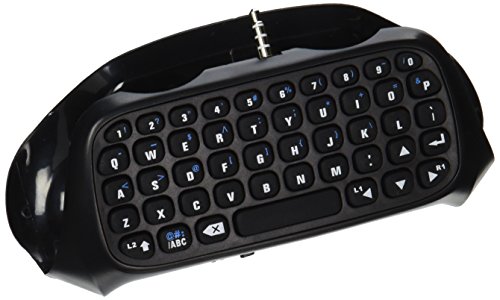
Update your profile, E-mail or instant messaging, message friends or enter codes in seconds and easy text input
Communicate quickly and easily with other gamers on Xbox LIVE
The keyboard takes directly from the wireless controller handle electricity, without reprovision charging cable
This product uses 2.4G wireless protocol to transfer data (with 2.4G receiver uses)
How to Use and connect your Xbox one Keypad
When the keyboard led lights are on, plug in the USB receiver to XBOX one console USB port, and it will connect
Reminder: if you plug in the USB receiver after the LED light is off, the keyboard will enter into a dormant state (Won't work)
Here are some tips to make sure the product works properly
1. Make sure the LED on the Keypad is on before trying to sync with your system
2. Make sure to fully charge the device at least 8 hours before using it for the first time
3. You must sync your keypad (While LED is on) with your system through your systems settings

