
Product Review
Description
NOTE: This Controller supports version update. Please contact us if you need to update the firmware to match the latest version.
Specification
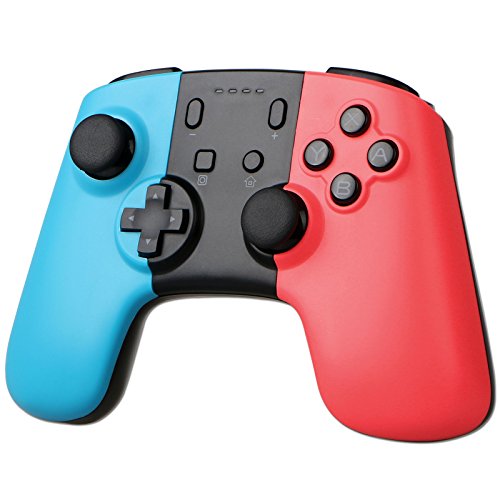
Type: Wireless Controller Gamepad
Operating voltage: DC 3.7V-4.2V
Operating current: 20-30mA
Static current: 20-80uA
Vibrating current: 50-110mA
USB input voltage/current: DC 5V/500mA
Available distance: 8m
Battery voltage/capacity: 3.7V/380mAh
Continuous operating time: Around 5h (fully charged)
Charging time: 2-3h
Static time: Around 30 days
Dimension: 6.42*4.43*2.17 inches
Connection instruction:
1. Power on a Switch console.
2. For the first time, in the Console HOME Menu, select Options "Controllers" -- "Change Grip/order", stay here.
3. Press the "Y+HOME" button on the controller for 5s, the four LEDs above the "HOME" button start blinking quickly and circularly, wait for around 10s, when one of the four LEDs is solid bright, it means that the controller is paired with the console successfully, then press on the button "A" to operate.
4. Once paired, for the second time and onwards, just long press the "HOME" button for 5s to power on the controller, the controller will be connected to the console automatically.
5. If the controller is in sleeping mode, short press the "HOME" button to wake it up.
Note: If the controller connection failed, it may caused by your switch have recorded too many controllers before. In this situation, you should go to "System Setting--Controllers and Sensors--Disconnect Controllers" to purge data.
Package Includes
1 x Wireless Controller.
1 x USB Charging Cable.
1 x User Manual.


