
Bluetooth protocal : Bluetooth Specification v2.0+EDR
Frequency : 2.4GHz ISM band
Modulation : GFSK(Gaussian Frequency Shift Keying)
Emission power : <=4dBm, Class 2
Sensitivity : <=-84dBm at 0.1%...

Buy Now From Amazon

Product Review

Bluetooth protocal : Bluetooth Specification v2.0+EDR
Frequency : 2.4GHz ISM band
Modulation : GFSK(Gaussian Frequency Shift Keying)
Emission power : <=4dBm, Class 2
Sensitivity : <=-84dBm at 0.1% BER
Speed : Asynchronous: 2.1Mbps(Max) / 160 kbps, Synchronous: 1Mbps/1Mbps
Security : Authentication and encryption
Profiles : Bluetooth serial port
CSR chip : Bluetooth v2.0
Wave band : 2.4GHz-2.8GHz, SM Band
Protocol : Bluetooth V2.0
Power Class : (+6dbm)
Reception sensitivity: -85dBm
Voltage : 3.3 (2.7V-4.2V)
Current : Paring - 35mA, Connected - 8mA
Temperature : -40~ +105 Degrees Celsius
User defined Baud rate : 4800, 9600, 19200, 38400, 57600, 115200, 230400,460800,921600 ,1382400.
Pin definition :
* PIO8 connects with LED cathodea with 470ohm series resistor in between. LED NEGATIVE connects to ground. After powered on, flashing intervals differ in different states.
* PIO9 is used to control LED indicating paring. It will be steady on when paring is successful.
* PIO11, module state switching pin. HIGH -> response to AT command; LOW or floating -> regular work status.
* With build-in reset circuit, reset is completed automatically after powered on.
* Steps to set to MASTER:
* Set PIO11 HIGH with a 10K resistor in between.
* Power on, module comes into AT Command Response Status
* Open HyperTerminal or other serial tool, set the baud rate 38400, 8 data bits, 1 stop bit, no parity bit, no Flow Control
* Via serial port, send characters "AT + ROLE = 1 r n",if successful, return "OK r n", where r n is carriage return.
* Set PIO11 LOW, re-power, then in Master state, automatically search for slave module and connect.
Package List:
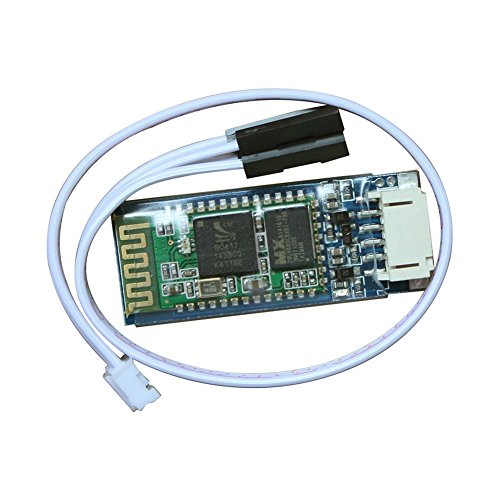
1 * Arduino Serial Port Bluetooth Module (Slave)with DuPont Cable


  • Industrial serial port bluetooth, Drop-in replacement for wired serial connections, transparent usage. You can use it simply for a serial port replacement to establish connection between MCU and GPS, PC to your embedded project and etc. Computer and peripheral devices
  • GPS receiver Industrial control MCU projects
  • Running in slave role: Pair with BT dongle and master module
  • Coupled Mode: Two modules will establish communication automatically when powered. PC hosted mode: Pair the module with bluetooth dongle directly as virtual serial.
  • Default serail port setting : 9600 1 Pairing code : 1234

Similar Products

DSD TECH HC-05 Bluetooth Serial Pass-through Module Wireless Serial Communication with Button for ArduinoElegoo EL-CB-001 UNO R3 Board ATmega328P ATMEGA16U2 with USB Cable for ArduinoDSD TECH SH-HC-08 Bluetooth 4.0 BLE Slave Module to UART Transceiver for Arduino Compatible with iOSElegoo EL-CP-004 120pcs Multicolored Dupont Wire 40pin Male to Female, 40pin Male to Male, 40pin Female to Female Breadboard Jumper Wires Ribbon Cables Kit for arduinoElegoo EL-CB-003 MEGA 2560 R3 Board ATmega2560 ATMEGA16U2 + USB Cable for ArduinoArduino Uno R3 Microcontroller A000066GY-521 MPU-6050 MPU6050 3 Axis Accelerometer Gyroscope Module 6 DOF 6-axis Accelerometer Gyroscope Sensor Module 16 Bit AD Converter Data Output IIC I2CDiymall 0.96" Inch Yellow Blue I2c IIC Serial Oled LCD LED Module 12864 128X64 for Arduino Display Raspberry PI 51 Msp420 Stim32 SCRDSD TECH HM-10 Bluetooth 4.0 BLE iBeacon UART Module with 4PIN Base Board for Arduino UNO R3 Mega 2560 NanoHiLetgo New Version ESP8266 NodeMCU LUA CP2102 ESP-12E Internet WIFI Development Board Open source Serial Wireless Module Works Great with Arduino IDE/Micropython