
Product Review
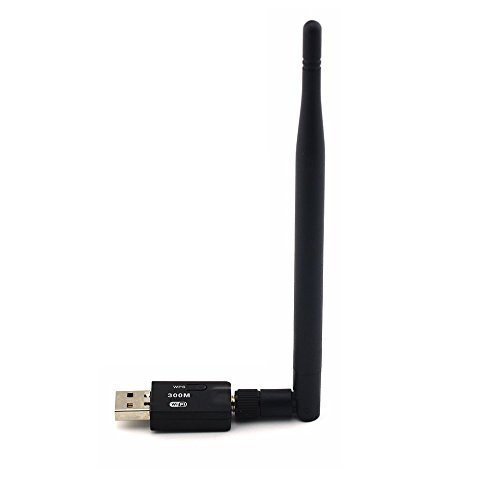
Wireless 300Mbps 802.11n/g/b USB WIFI LAN Network Card Adapter with Antenna Support XP/Vista/WIN7 Linux and MAC OS X
Specifications:Wireless Standards: IEEE 802.11n (draft), IEEE 802.11g, IEEE 802.11b
Host Interface: High speed USB2.0/1.1 interface
Data Rate:
802.11n: up to 300Mbps (downlink) and 300Mbps (uplink)
802.11g: 54/48/36/24/18/12/9/6 Mbps auto fallback
802.11b: 11/5.5/2/1 Mbps auto fallback
Frequency Band: 2.4GHz ISM (Industrial Sclentific Medical) Band
RF Frequency:
2412-2462 MHz (North America)
2412 - 2472 MHz (Europe)
2412 - 2462 MHz (Japan)
Radio Channel: 1-14 channels (Unlversal Domain Selection)
Modulation:
11n: BPSK,QPSK,16QAM,64QAM with OFDM
11g: BPSK,QPSK,16QAM,64QAM OFDM
11b: DQPSK,DBPSK DSSS, CCK
Data Security: 64/128-bit WEP Encrvptcon WPA, WPA-PSK,WPA2,WPA2-PSK.TKIP/AES
Operating System:XP/ Vista/WIN7/linUX/MAC OS X
Package includes:
1XWireless WiFi Adapter
1XAntenna
1XCD
IMPORTANT NOTE:
This WIFI adatper needs a driver to be installed to the the computer before starting to use it. The package includes a CD that has the drive
Setup Instructions:
1) Attgach the antenna to the USB adapter as picture shows
2)Plug the WIFI adapter to your computer's USB port and put the CD to your computer's CD driver.
a. Open the CD you will find 3 folders and 1 instruction file. The instruction file is wrote by English and Chinese.
b. Our adapter compatible with 3 kind of Operation System and the version is on following:
c. Make sure your operation system and open the folder to click "驱动程åºå®‰è£… Setup.exe" start to install the driver step by step.
d. Finish the install, click "完æˆ" to restart your computer, then you will finish the setup


