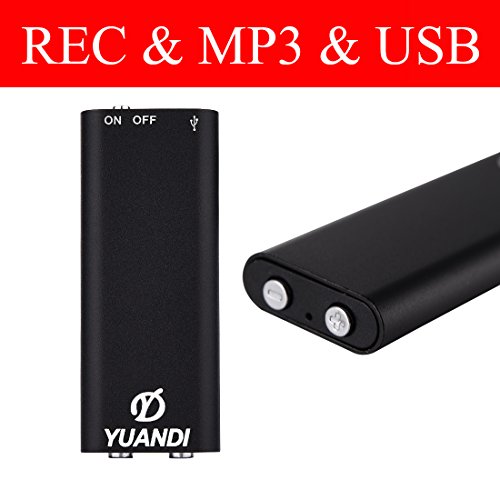

Product Review
Specifications:
Memory:8GB
Saving Time:96Hr 192Hr
Recording Output Format: WAV
Sampling Rate:192Kbps
Power Supply/Rated Voltage Lithium Battery(80MA):3.6V-4.2V
Product Size:(LxWxH): 1.78" x 0.67" x 0.15"
Battery Life Record 10 hours
Play 6 hours
Supported Operating System
Windows 98 Second Edition/Millennium Edition/2000/XP/ Windows 7
Operation Instruction
1ã€Put the switch to ON as the indicator light turns red and it starts to record after flashing up for 3 times (The red light is off in the recording process).
2ã€Put the switch to OFF as the indicator light turns red and flashes up for once which means the machine shuts down and the recording file is saved successfully.
3ã€In the recording process, insert the headphone into, which can save the recording file played currently when the indicator light turns blue and flashes slowly.
4ã€MP3 Conversion: Insert the headphone into, and short-press Button (-) to convert MP3 playing mode when the indicator light turns red and flashes up slowly.
5ã€Short-press Button (+) means the next file and the recorder will jump back to the first one automatically if the last file is ended up with playing (Tip: there's no operation for playing the Previous file).
6ã€Insert the headphone into and long-press Button (+) means volume-up while long-press Button (-) means volume-down.
7ã€When recording, insert a USB cable intoto connect the computer or the power supply, which means it is charging for recording.
8ã€In the recording process, short-press Button (+) first and it is recording when the red light flashes up slowly; short-press Button (+) to turn off the red light and continue to recording.


