
Product Review
Our speakers are the latest version. we have improved the fuctions many times through customer opinions.If you have any question ,please feel free to contact us ! video.https://youtu.be/h-6c-oXFKhA
The difference from the other brands:
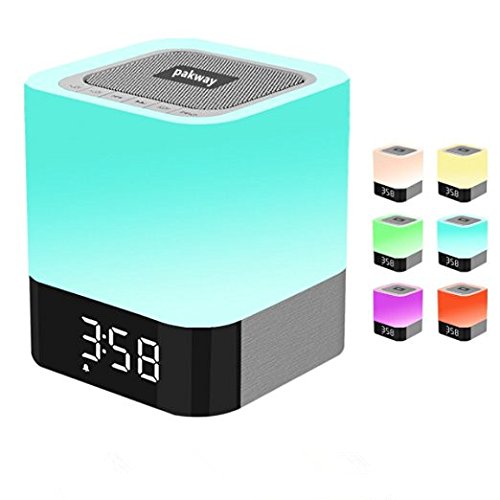
1. THE TIME AND LIGHT CAN STAY ON(other brands are not)
2 .We have both the Multicolor Light (48 color ) and the Regular Light(other brands only white light)
FAQ:
1 How do you set the time/ alarm ?
CLOCK: Press "MODE" key and long press ,then press the backward/forward key to set the year /date/time !
ALARM: Press "MODE" key twice ,long press and set the alarm ,"OFF" means DONE!
• 2 how do you set your favorite song as alarm sound ? Can I turn down the default alarm volume ?
Set your favorite song: Create a folder named "ALARM" in the SD card or U disk, then put a song in this folder.it will play automatically . the default alarm volume can't be turned down.but you can set an quiet songï¼
Note : you should inserted TF card / U disk with named folder into speaker first ,then set alarm.
• 3 Can the light be set on just one color?
Yes,touch and hold the top ,then take your finger off,the color will stay on ï¼
• 4 Why the alarm does not work ?
please keep the speaker power on (keep the back button stay on "ON")and pay attention to set AM/PM.
**THE TIME AND LIGHT CAN STAY ON(Customized)ï¼
Specification:
• Charging Time: 2 -4 Hours
• Power Input: 5V, USB
• Speaker: 5W Single Acoustic Driver
• Size: 3.9 x 3.9 x 4.4 Inch
• Weight:19.4 Oz / 600 g
• Material: ABS /Silicone
Package:
• Alarm Clock Speaker x 1
• AUX Cable x 1
• USB Cable x 1
• Instruction x 1(hide in the cardboard at the bottom)
NOTE :please give it a full charge first,the red LED indicator will light up(after 5-6 minutes) !

