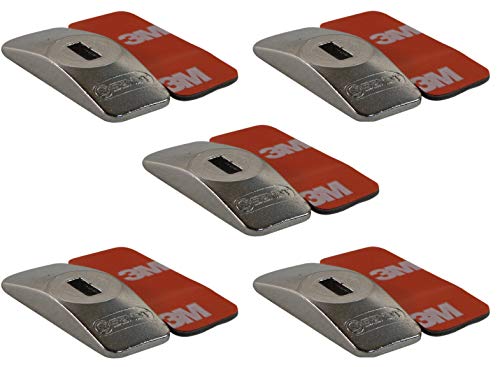

Directions:
1. Make sure the surface of the device you want to secure is clean and smooth.
2. Peel the protective film from either side of the adhesive strip, and press the exposed adhesive to th...

Buy Now From Amazon

Product Review

Directions:
1. Make sure the surface of the device you want to secure is clean and smooth.
2. Peel the protective film from either side of the adhesive strip, and press the exposed adhesive to the device you want to secure.
3. Carefully remove the second protective film from the adhesive strip without removing the strip from the device.
4. Press the security plate firmly onto the exposed adhesive and allow the adhesive 30 minutes to set.
Your Sendt Security Plate is ready to use! Follow any directions that are included with your lock.

Similar Products

Kensington K64615US Desktop Computer and Peripherals Locking KitKensington Desk Mount Anchor Accessory for Cable Locks (K64613WW)Kensington Combination Cable Lock for Laptops and Other Devices (K64673AM)Kensington Slot Eyelet 5 Pack K64643WWARKON Square 3M VHB Adhesive Security Plate with Slot for Cables to Lock Down Laptops, Tablets, Monitors and Other Devices (APVHBLOCK)Kensington Combination Portable Cable Lock for Laptops and Other Devices - Black (K64670AM)Ruban Security Hardware Cable Lock Kit - Universal Compatibility for Monitors, Laptops,MacBooks, Tablets,Galaxy Tab,iPad, iPhone, Android, Cell PhonesRUBAN Notebook Lock and Security Cable (PC/Laptop) Two Keys 6.2 foot (Black)Targus Security Anchor Base Plate for Keyed or Combination DEFCON Cable Locks (PA400P)Bodyguard Notebook Laptop Combination Lock Security Cable - 4 Digit Password Protections, Theft Deterrent - with Sturdy Thick Black Security Cable - for Desktops, Laptops and Projectors