
Product Review
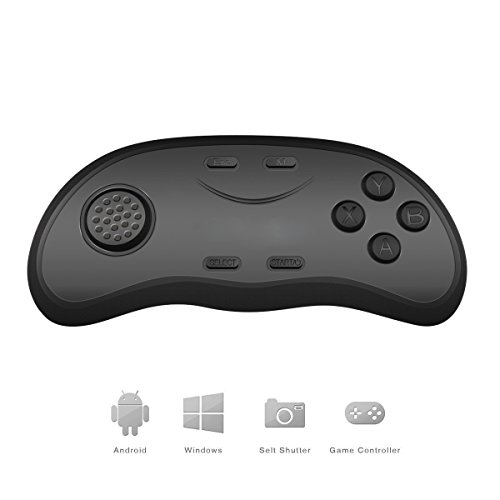
Bluetooth Remote Control Wireless Gamepads Mouse Music Selfie 3D Games for 3D Glasses Android PC
For Android device or Apple icade Game
1. Press START button 2 sec on boot up/press for 5 sec to power off.
2. Pair to Bluetooth VR Shinecon_A30-1D00
*Key Mode
Switch video, music, brightness by joystick.(rewind, fast forward, switch).
Play/Pause by SELECT button.
X/A=volume+/- (shutter) B=Mute.
*Mouse Mode
Press M button to boot into mouse mode.
For Apple device
1. Press X+START button 2 sec on boot up.
2. Pair to Bluetooth MOCUTE-shiecon.
* Key mode
Can switch video or music by joystick.(rewind, fast forward, switch).
Play/Pause by SELECT button.
Adjust the volume (shutter) by X/A, B=Mute.
*Game mode
SELECT+A=LI SELECT+B=R1
SELECT+X=L2 SELECT+Y=R2
Note:
The mouse mode for Android devices only.
Require two AAA Batteries
Switch Game/Key mode by side button.
IOS device can use the joystick in Game mode to control PPT or Kindle.
If you cannot connect to the remote, please re-install batteries to reboot the controller.
Specifications
Self-Timer + Mini Bluetooth gamepad + Wireless mouse + Music player
Support the MTK mobile phone games
Bluetooth versions: Bluetooth V3.0
The effective distance: 2 - 10m
Battery: 2pcs AA 1.5V battery (NOT Included)
Working Current: 0.5 - 8mA
Standby Current: 0.5 - 1mA
Compatible with: Android, PC system
Package Included
1 x Bluetooth Remote Control
1 x User Manual


