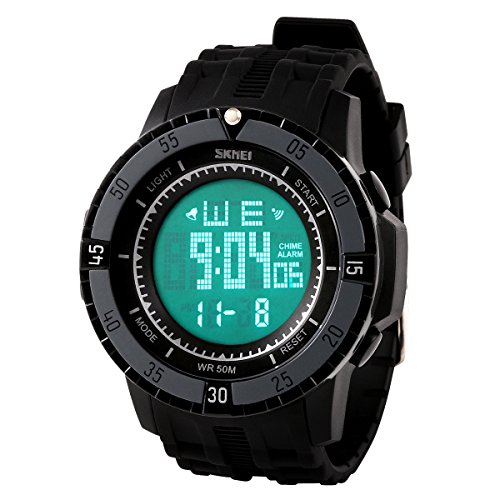

Product Review
Stopwatch Feature
Press "MODE" to enter stopwatch, Press "START" to enter Stopwatch Mode, Press "START" to stop the stopwatch, Press "RESET" to recover
Alarm Feature
Press"MODE" twice to enter the alarm setting mode
Press"RESET" and hour will flash, press"START" to choose hour
Press"RESET" and minute will flash, press"START" to choose minute
Press"MODE" to finish alarm setting
In alarm mode, when hour and minute do not flash, Press"START" to choose open/close alarm and chime
Press"START", "ALARM"appear, the alarm open
Press twice"START", "CHIME"appear, the hour chime open;
Press"START" three times, "ALARM""CHIME"appear, the alarm and hour chime open
Press"START" four times,"ALARM""CHIME"disappear, the alarm and hour chime close
Note:
When the alarm ring , press"RESET" to turn it off; Press"START" to pause it, and it will ring again 5 minutes later
Chime Feature
In alarm mode, when hour and minute do not flash, Press"START" to choose open/close alarm and chime
Press"START", "ALARM"appear, the alarm open
Press twice"START", "CHIME"appear, the hour chime open;
Press"START" three times, "ALARM""CHIME"appear, the alarm and hour chime open
Press"START" four times,"ALARM""CHIME"disappear, the alarm and hour chime close
Time Setting
Press "MODE" three times, to enter the Time/ Date/ Week mode
Press "RESET" and hour flash, Press "START" button to add the hours
Press "RESET" to finish hours setting and minutes flash, Press "START" to add the minutes
Press "RESET" to finish minutes setting and month flash, Press "START" to add the month
Press "RESET" to finish month setting and day flash, Press "START" to add the day
Press "RESET" to finish day setting and week flash, Press "START" to choose the week
(Note: When"PM"appear, 12-hour system opened. When"PM"appeared, 24-hour system opened)

