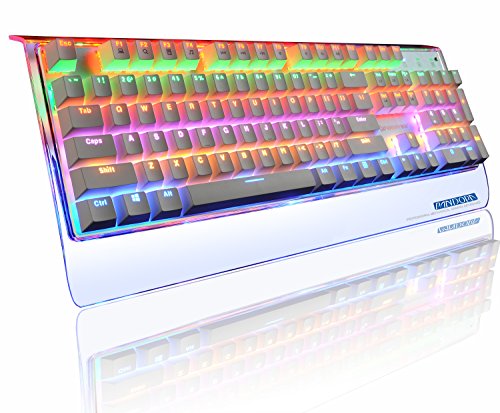

Product Review
Backlight adjustment function:
1.FN+Delete = Full keyboard breathing mode;
2.FN+Insert = Meteor snake - like Happy Valley mode;
3.FN+Home = Ripple pattern;
4.FN+Page Up = The default light mode; once again trigger into the floating light mode, once again trigger the resume light mode;
5.FN+End = Custom mode; (This mode a total of 10 groups of custom game backlight, press FN +1 ~ 0 any switch, 1 ~ 6 for the default 6 group game lights);
For Example: FN+End: FN + End to enter the custom mode, then press FN + 2 to enter the second group of custom mode, if you need to change the group of lighting effects, then press FN + End key, Adjust the backlight status, and then press FN + End to complete the setting;
6.FN+Page Down= The default LED is off, the button is pressed, and the LED of the button is lighted. When the key is released, the LED of the key is turned off slowly;
7.Support FN + ↑ or FN + ↓ keyboard total brightness adjustment, 5 files brightness increment / decrement;
8.Support FN + ↠or FN + → backlight speed control, 5 speed speed decreasing / increasing;
FN composite function Description:
FN + F1 = My computer
FN + F2 = Search
FN + F3 = Calculator
FN + F4 = Music player
FN + F5 = Previous track
FN + F6 = next song
FN + F7 = Play / Pause
FN + F8 = CD stops
FN + F9 = Mute
FN + F10 = Volume -
FN + F11 = Volume +
FN + WIN = Lock both the WIN and APP keys and press the unlock button again.
Product Interface:
Keys: 104 keys
Backlit:Multiple mixed Colors
Weight: 1330g
Size:18*6.4*1.1inches
Backlight function: Support
Connection type: Wired
Connection interface: USB
Package included:
1x Keyboard
1x User's guide


