
Product Review
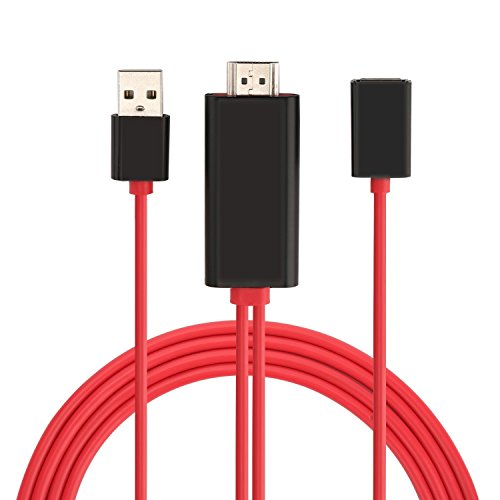
Note: -Not support Netflix(support some Netflix videos when you download the videos to your phone before mirror) , i.e. Congo, amazon prime video , DirecTV, Hulu , Crunchyroll or other paid videos in the app . -Make sure the cable connect to female usb port is the original apple lightning cable ,other cables maybe can't transmit date -make sure the power you supply are 5v/1a or above, otherwise they will not work.-Not work with iPhone 4, 4s and android system. Please check whether your phone's version is compatible before you purchase.-Please check your tv whether with hdmi port on first before you purchase this item.-If you think that the item is defective or didn't work , we suggested that you can try to mirror the YouTube video to tv device , if this hdmi lightning adapter cable can mirror to tv, it means that the item is not defective , maybe the app that you use is not support to mirror -support iOS 9 and above system. How to operate: You have to make sure all cords are connected ,otherwise they will not work.1. Plug the hdmi connector to the tv (projector/monitor) hdmi port.2. Connect the usb cable to a power adapter(at least 5v/ 1a) to supply power for the hdmi connector.3. Plug a data cable(must be the original apple lightning cable) to the female usb port and then connect to your iPhone/ipad4. Then the phones screen will pop out a "trust" option, just click it.5. Wait for a few seconds(10-15s) for initialization, the screen of your iPhone/iPad will be shown on tv. Description: -Support tv shows, music, video, audio, photo and more from YouTube, i.e. browser, chrome browser.-Resolution:1080p -share your videos ,games or photos on big screen with family and friends.-Plug and play, no need Wi-Fi or hotspot. Package include: 1 x lighting to hdmi adapter ( lightning cable not included).


