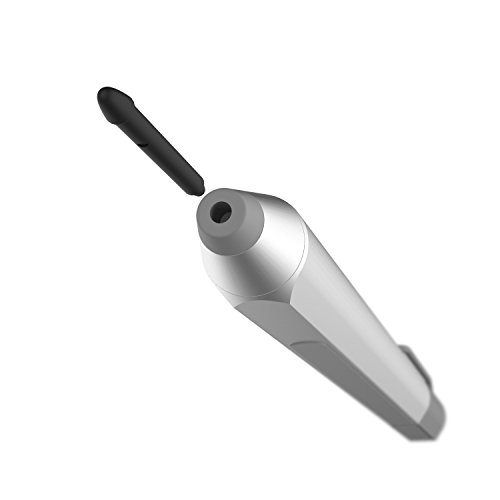

Simply hold the replaced pen tip,pull it out easily,insert the new tip into and use.

The tip slid in easily and make your pen working fine!

They fit snug into the pen and you don't have to worry about them f...

Buy Now From Amazon

Product Review


Simply hold the replaced pen tip,pull it out easily,insert the new tip into and use.

The tip slid in easily and make your pen working fine!

They fit snug into the pen and you don't have to worry about them falling out which is always a plus but be careful of the tip breaking.

You may find that you never need to replace the tip in your Microsoft Surface Pro 3 pen, but when you do, this is your best/only option, aside from buying a new $50 pen.

If the tip of your tip breaks off inside the body of the pen, use a pin and carefully and slowly push it into the soft plastic of the broken pen nib. This will allow you to extract it for replacement.


  • Compatible For Microsoft Surface Pro 4 Touch Stylus Pen.
  • Easy to change tip of Touch Pen for Microsoft Surface Pro 4.
  • The low-friction tip provides you with art-like precision and control.
  • Greatly reduced the friction on the screen, as well as long-use of screen scrape.
  • Include 3 tips, Not Include Touch Pen.

Similar Products

Energizer 6 NEW AAAA BatteriesSurface Pen Tip KitAmazonBasics AAAA Everyday Alkaline Batteries (8-Pack)Zodiac Surface 2H H HB B Tips Kit Refill Replacement for Microsoft Surface Pro 6 5 4 Series/Surface Book 1 2 / New Surface Pro 2017 / Surface Go/Surface Laptop Touch Stylus Penicrosoft Surface Pro Pen for Surafce 3 (Silver) (Bulk Packaging)OMOTON Screen Protector Compatible with Surface Pro 6 / Surface Pro (5th Gen) / Surface Pro 4 - [Tempered Glass] [High Responsivity] [Scratch Resistant] [High Definition]3Pack Replacement Tips Refill for Microsoft Surface Pro 4 Touch Stylus Pen(Black)Hermitshell Hard EVA Travel Case Fits Microsoft Surface Pen Surface Pro 4 PenMicrosoft Surface Pen, Silver (3XY-00001) for Surface 3; Surface Pro 3 & 4; Surface Book