
Product Review
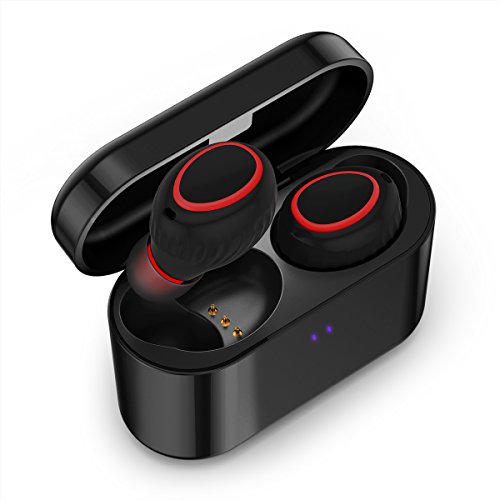
No Wires.No boundaries.Soundmoov True Wireless earbuds
How To Pair(Initial Setup or After Reset)
1.Take out the earbuds from the charging case, they automatically turn on and you will hear a voice prompt "Power on" from each of the earbuds. And then the earbuds connect each other first and you will hear "Your device is connected" in both earbuds. See NOTE
2.Activate the Bluetooth on your phone and select "HV-358"to pair. You will hear a voice prompt "Your device is connected" on you LEFT earbud ONLY. Now your device is connected successfully. You can play music or make a phone call.
The next time, the Bluetooth earbuds automatically connects when removed from the case and disconnects when returned.
Note: If you the earbud does not turn on automatically, tap the MFB button once.
How To Use
Play/Pause Music or Voice podcasts: Tap the MFB button on either of the earbuds once during playing.
Next Track: Double Tap the MFB button on the LEFT earbud when playing .
Answer or End the phone call: Tap the MFB button on the LEFT earbud to answer the incoming call or end the call.
Reject the incoming call: Hold the MFB button on either of the earbuds.
Activate Google/Siri: Double Tap the MFB button on the RIGHT earbud when standby.
Charge the earbuds: Put the earbuds into the charging case and earbuds will automatically power off and start to charge.
*Reset the paring: If the earbuds could not connect each other, you can reset them to recover. After turn on the earbuds, Double tap the MFB quickly, the LEFT and RIGHT earbud will pair each other and the blue & red indicators will flash for 10 seconds. You will hear the voice prompt "Your device is connected" after paired.
Get the SoundMoov Edge:
24 Hour dedicated email support
100% customer satisfaction


