
How to Use the NFC Cards - The Legend of Zelda in Switch:

  1. You MUST complete the first Four Shines challenge to activate amxxbo in game.
  2. Press "+" button, Select System - Options - amxxbo to "Use amx...

Buy Now From Amazon

Product Review

How to Use the NFC Cards - The Legend of Zelda in Switch:

  1. You MUST complete the first Four Shines challenge to activate amxxbo in game.
  2. Press "+" button, Select System - Options - amxxbo to "Use amxxbo".
  3. Press "Up", and change Runes to "amxxbo".
  4. Press "L" button to use amxxbo.
  5. Put the card on the Right Stick of your Joy-Con or Pro Controller which can support NFC function.

Important Nots:
  1. A card can only be used once per day.
  2. You can only use amxxbo in wild.
  3. These cards can also be used in other games like Mario Odyssey / Splatoon 2, without special effects. Other NFC cards can also be read by The Legend of Zelda, without the Treasure Chest but only a few materials.


  • Compatible with Switch.
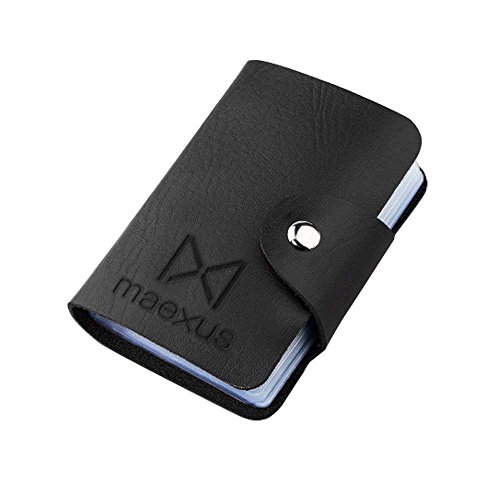
  • The Card material is PVC Plastic Water Proof and Has Card Holder.
  • 22 Cards in One Set, Including Champions 4-Pack, And you can Summon Epona and Wolf Link.
  • Same Size as Normal Credit Cards, Easy to Carry. Single Card Size: 5.4 * 8.5 *0.1 cm
  • NOT Amxxbo

Similar Products

The Legend of Zelda: Breath of the Wild The Complete Official Guide: -Expanded EditionamFilm Tempered Glass Screen Protector for Nintendo Switch 2017 (2-Pack)HORI Nintendo Switch Poke Ball Plus Drop & Charge Stand - Officially Licensed By Nintendo & Pokemon - Nintendo SwitchThe Legend of Zelda: Breath of the Wild - Nintendo SwitchZelda amiibo - Japan Import (Super Smash Bros Series)