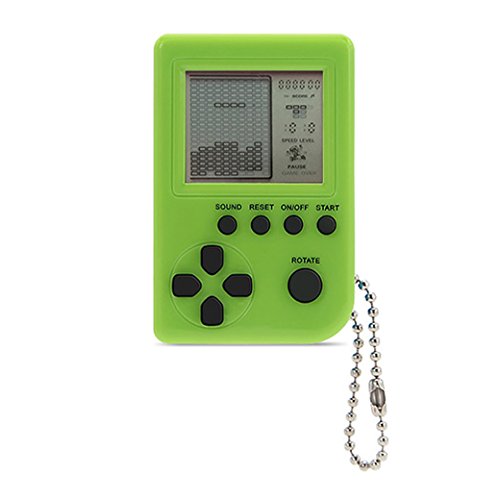

Product Review
FUNCTION KEYS FOR BRICK GAME
1.ON/OFF
Press ON/OFF key to turn on or off the game. (Auto power off function will in effect after 3 minutes upon the last pressed button.)
2.ROTATE
Press ROTATE key to select games before to start it or take action in a selected game.
3.SOUND
Press SOUND key
Repeat to select sound volume level.
4.START/PAUSE (S/P)
Press S/P key repeating to start or pause the selected game.
5.RESET
Press RESET key to reset the whole unit system.
6.UP/DOWN
Press UP/DOWN keys to select the pattern of selected game before to start it.
Press UP/DOWN keys to control the up/down direction in a selected game.
7.LEFT/RIGHT
Press LEFT/RIGHT keys to select the level (LEFT) and the speed (RIGHT) of a selected game before to start it.
Press LEFT/RIGHT keys to control the left/right direction in a selected game.
KIND OF GAME (668 in 1 / 2010 in 1 / 8888 in 1 / 9999 in 1)
1)A: Tank battle
2)B: Race car
3)C: Challenge memory
4)D: Shooting Game
5)E: Frog across river
6)F: Fighting Ghost
7)G: Shooting Game
8)H: Make up touch
9)I ~Z: Standard Russia Block