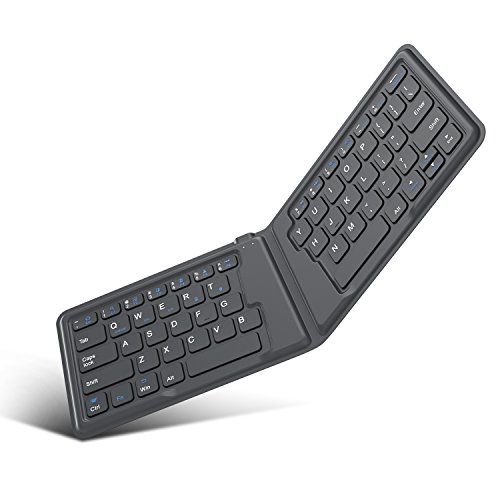

Product Review
How to Pair the Keyboard with Phone or Tablets
Step 1: To turn on, simply unfold the keyboard.
Step 2: Press the "FN + T(Wireless sign)" keys together to enter pairing mode. The blue indicator will begin to blink. Step 3: On your device, activate its Bluetooth function and Search for the "Foldable Bluetooth Keyboard", the Bluetooth indicator will turn off when paired. Step 4: Press "FN + Q(Android) / FN + W(Window) / FN + E(iOS) " keys to select operating system you are using. Specifications
Wireless Specification:
Dimension: Folded: 6.37" * 3.8" * 0.4", unfolded: 12.6" * 3.8" * 0.2"
Net Weight: 138.8g (4.9 ounces)
Operating Range: Up to 10 Meters
Modulation System: GFSK
Stand-by Time: 30 days
Charge Time: approximate 2 hours
Uninterrupted Work Time: 40 hours
Key Life: 3 million clicks
Material: PU case / ABS
Troubleshooting
If you are unable to connector the keyboard to your devices, please try the following:
1. Starting with a full charge on both devices ensures that process will not be interruped by a low power.
2. Make sure your device's Bluetooth is on. 3. Make sure that the keyboard is within the effective operation distance of 33 feet(10M). Note
1. This keyboard is not compatible with Nokia phones or Windows 8 operating systems.
2. Fold it to power off the keyboard to conserve energy if it is not in use. Do not use out of the operating range.
Package Content
1 * Foldable Keyboard
1 * Micro-USB Charging Cable
1 * User Manual


![All-New Fire HD 10 Screen Protector [2-Pack],TANTEK Anti Scratch,Bubble Free,Tempered Glass Screen Protector for All-New Fire HD 10 Tablet(7th 2017 Release)](https://m.media-amazon.com/images/I/51LbK6TaG0L._SL75_.jpg)


![MoKo Case for All-New Fire HD 10 Tablet (7th Generation/9th Generation, 2017/2019 Release) - [Heavy Duty] Full Body Rugged Cover with Built-in Screen Protector for Fire HD 10.1 Inch, Black](https://m.media-amazon.com/images/I/511pV5JY-1L._SL75_.jpg)

