
Product Review
How to Use?
Step 1: Please download "Smart Life" and create an account.
Step 2: Please turn on and off with the button on the wall 3 times, the bulb will blink.
Step 3: Please open Smart Life APP , choose Lighting Devices> Confirmed in flash
lamp> Choose your router wifi, enter password> Wait a few minutes for connection>
Change the name of your light bulb> Done.
Step 4: Make sure your Amazon Alexa or Google Home is connected to the router wifi please.
Step 5: Search for "Smart Life" in "Skill" app on Amazon Alexa or Google Home and
enter the name and password of "Smart Life"
Step 6: Once Amazon Alexa has completed the discovery of your bulb, you can remotely
control your bulb by voice. " Alexa, turn on the bulb "
Schedule On/Off
Help you get alseep at night/wake you up in the morning.
Share Smart Bulb Control
You can share control of smart light with your family and friends by adding your family's phone number in the app
Scene Control In APP
You can turn on or off by setting temperature, weather, sunset sunrise, air quality control lights in the APP.
No Hub Required
Built-in Wi-Fi modules, connect to your secured 2.4 GHz Wi-Fi network. No hub and no extra cost needed, installation
becomes easy and convenient.
Specifications
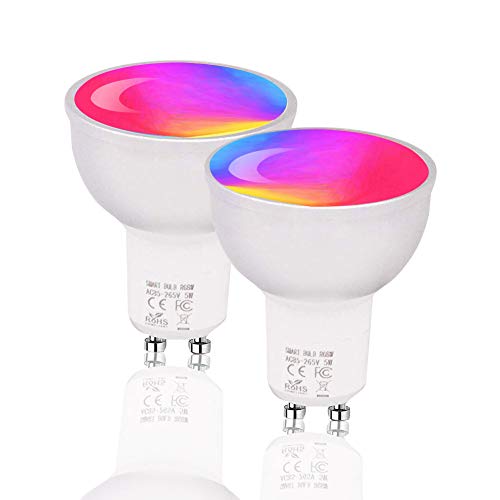
Input Voltage: AC85-265V
Power: 5W
Luminous Flux: 540-600LM
Wireless Type: Wi-Fi 2.4GHz
Dimmable: YES
Color: RGBW
Color Temperature: 2700-6500K
Light Interface: GU10
Certification: CE, ROHS, FCC
Product contains
2 x Smart GU10 Light Bulb
1 user manual
Our Service
If there is a problem with the product, please check the detailed page or contact the customer service.
If you have any questions, please contact usï¼


