
Product Review
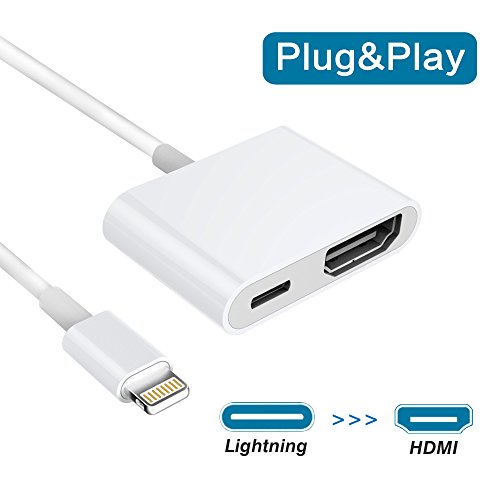
Lightning to HDMI Adapter Full 1080P HD Resolutions
Enjoy the super big screen from iPhone/iPad and share the happiness with your family or friend together on your HDTV, begins with Saleward Lightning to HDMI Adapter.
How to Use?
1.Connect the Adapter to outlet via your iPhone/iPad charge cable and adapter.
2.Plug the Adapter to the TV/Projector HDMI port via a HDMI cable.
3.Switch the TV/projector's output to corresponding HDMI.
4.Connect the Adapter to your iPhone/iPad, the phones' screen will pop out a "Trust" option, just click it then wait it to connect automatically. (If not, please reboot your iPhone/iPad and try again).
Attention Please:
1. Please make sure this adapter connect to socket via your iPhone/iPad charge cable and adapter while using it.
2. This adapter will NOT Support APPs which have "HDCP" video copyrights protection (Paid Video) like Netflix, Amazon video, HBO go, HULU, SKY Q and Honda motor.
3. This adapter will get a little hot when using but it's NORMAL and SAFE.
Wide Support:
â–ºFor iPhone 8/8 plus/7/7 plus/6s/6s plus/6/6 plus/5s/SE/5/5c (iOS 11 and before)
â–ºFor iPad mini/mini 2/mini 3/mini 4/Air/Air 2/Pro (Only 3G/4G version of iPads supported)
â–ºFor iPod Touch 5th Generation and 6th Generation
Package Include:
1 * Lightning to HDMI Adapter
1 * User Manua


