
Product Review
Carry Your Teammates With This Professional Mobile Game Controllers--Winner Winner Chicken Dinner!
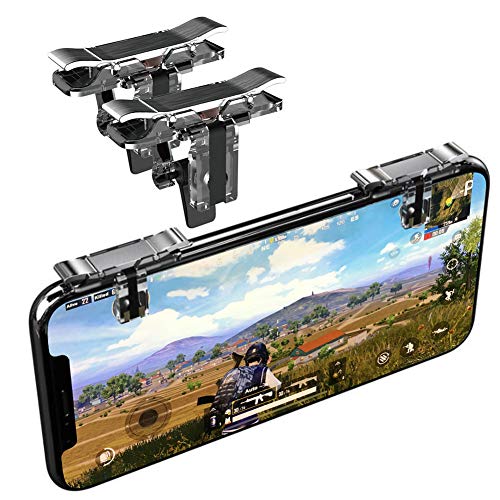
With Norhu mobile game triggers, you can immediately improve your skills and reduce more unnecessary operation misses. Make you more professional than other players
How to Setup:
1.Enter Game Settings→ Control→ Customize; Adjust relative buttons to complete connect the pad of triggers.
2.Move the "FIRE" button to the top of left corner
3.Move the "AIM" button to the top of right corner
4.Cover the touchable bottons with trigger pad
5.Save settings.
Tips:
1. It may have position deviation shown in the picture among different phone models, please adjust your button in a comfortable way to fit your smartphone.
2. It can be used even with a slim case on your phone. But to improve your gaming experience, it is highly suggested that you remove the case when using the controller.
CUSTOMER SATISFACTION GUARANTEE
YOUNI Brand Promises Every Customer A 100% shopping satisfaction, if there are any problems, please feel free to contact us.
Our Customer Service Email:Â [email protected]


![[ELITE Edition]Leuna Mobile Game Controller L1R1 Game Triggers Fire and Aim Buttons for PUBG for Fortnite for iPhone SE 6 7 8 X Xs XR/Samsung Note 8 9 S7 S8 S9 C8 C9 A8s A9s](https://m.media-amazon.com/images/I/51YI0bBZlUL._SL75_.jpg)


![IUGGAN PUBG Mobile Game Finger Sleeve Sets [5 Pack] Sterling Silver Fiber, 0.01"(0.5mm) Ultra-Thin Smart Phone Finger for Call of Duty Mobile, Rules of Survival, Compatible with iPhone/ipad/Android](https://m.media-amazon.com/images/I/51fYpvSk2lL._SL75_.jpg)

