
Product Review
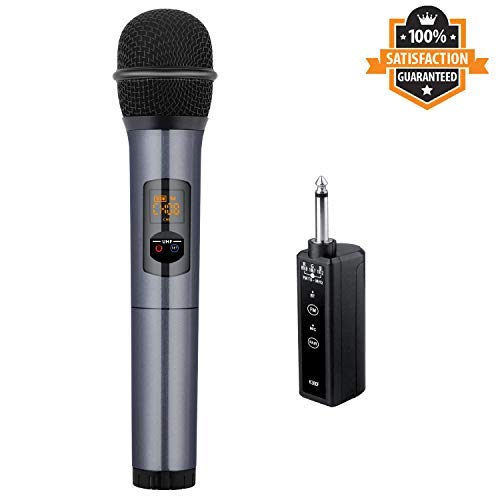
Kithouse UHF Wireless Microphone with Bluetooth Receiver - No need to set, just plug and use!
How To Turn On/Off Microphone
Turn on: Short press the Power Button
Turn off: Long press the Power Button
How to use Kithouse K380F Wireless Microphone with 1/4"(6.35mm) jack Speaker, PA Speaker System or Power Amplifier?
1)Power on mic/receiver, they will connect each other automatically though UHF technology
2)Plug the receiver into the Speaker, now you can use the mic
3)When the Receiver is plugged into speaker, we also can connect Receiver via Bluetooth to play background music if needed.
How to use Kithouse Wireless Microphone with FM Radio(Car/Bus)?
This Receiver supports 3 FM Frequency: Red-89.8MHz Green-106.7MHz Blue-107.2MHz
1) Power on the mic/receiver, match the same FM frequency of the receiver and FM Radio(Car/Bus)(For example: 89.8MHz to 89.8MHz)
2) Now the microphone's voice will be transmitted from receiver to FM Radio
Notice:
â‘ We don't advice to use this microphone with speaker which has 1/8"(3.5mm)jack
â‘¡K380F Don't Support For Multiple Sets Using; But our K380S or K18 Wireless Microphone can support 10 sets at max for Simultaneously Using
â‘¢K380F Not For Bluetooth Speaker, Phone, PC, Camera - The Receiver can't search Bluetooth Device, so it can't be used to connect with Bluetooth Devices; We only can use phone to search and connect the Receiver to play background music. Receiver's function can transfer both voice & music signal to speaker
â‘£If has static, please turn down the volume of speaker
Package List:
1 * Handheld Microphone
1 * Receiver
1 * USB charging cable
1 * 6.5mm to 3.5mm converter
1 * Antiskid ring
1 * User Manual


