
Product Review
Why are hundreds of people so happy with our product, because it works! We have save people hundreds of dollars in repair fees, ink, new printers. Our passion is to help people save money. Do it yourself! YOU DONT NEED TO BE AN EXPERT TO USE THIS PRODUCT. We give you instructions and you save BIG MONEY! Our product has been tested and proven over and over again. Join the club, fix your printer and save hundreds at an affordable price!
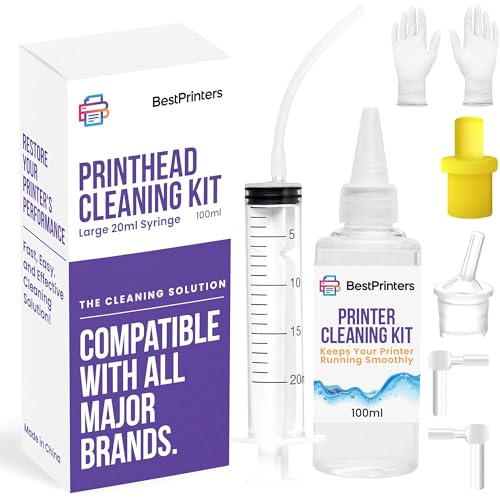
Kit Includes:
x1 Syringe
x1plastic tubing extension
x1 Cleaning Solution Fluid/ Bottle
Cleaning kit for Hp, Epson and Canon printers. Works on various printer models.
Print-head Cleaning Kit Instructions
1.Print a nozzle check pattern to identify which colors need cleaning
2. Warm up the cleaning fluid and remove ink cartridges (you can simply warm up the cleaning fluid bottle)
3. Remove print-head (if possible)
4. Connect adapters to syringe and inject fluid into each nozzle to be cleaned
5. If referred from YouTube video use both these and video instructions.
6. Leave to stand for 5 min
7. Reinstall head and fresh cartridges
8. If being used on models Hp Office-jet 4620,6830, Photo-smart 5510,5520 or 6520 Please use a glove (glove currently not included in kit).
Disclaimer
Printer cleaning is successful 95% of the time, but does require a supply of fresh ink and carries a small risk of damage to the printer. As such, we recommend using cleaning when other methods (such as the inbuilt cleaning function) have already been tried, and when the printer has no functional use unless fixed. As errors in the printer are possible in some circumstances. Safety notes Keep out of the reach of children Eye protection is recommended during use


