
Product Review
1.How to pairing with gopro hero 7 black?
Re: It is very easy actually. Here is the video shows: https://youtu.be/vfHCTDzTm3E
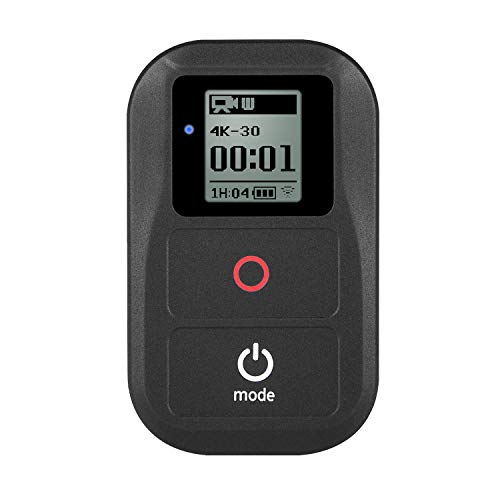
Purchase a remote control for your favorite GOPRO camera! It is really very convenient and practical
How to Pair with Gopro:
For gopro hero+LCD camera set up
Press pwoer→select Set up→Wireless(wifi off)→Wi-Fi Mode→REM CTRL→New→Pairing(Wait for the remote control to pair)
For GoPro Hero 8 HERO 7 Black, Hero 6 , Hero 5 set up
1. Press and hold the mode key(turn on the camera) 2. Use you finger from top to bottom touch scree 3. Click"Preferences"→Click"Connections" 4. Select"Reset Connections"→Click"Reset"→Waiting (Restart the camera) 5. Use you finger from top to bottom touch scree 6. Click"Preferences"→Click"Connections"→ Clik"Connect Device " →Click"Smart remote" 7. PAIRING( Wait for the remote control to pair)
SET up the remote
Make sure the remote is off→While holding red circle key(Do not let go)→Press power button and release power button→The remote control enters the pairing mode→appear Pairing of double arrows→When "1" or "2"appears on the screen(Connect a few cameras to display a few)→Press circle key confirm→camera and remote control are connected successfully
Warning:
1. Fully charged about 30 up to 40 minute,Wifi Charging Cable Charging,the first time use need to charge 1 hours at least.
2. In order to increase battery life, you need to recharge it at least once every six months.
3. If you do not use the battery for a long time, should be fully charged to save it.
Package included:
1 x WIFI Remote Controller
1 x Charging Cable
1 x Wrist Strap
1 x Metal Made Key Ring
1x lanyard
1x Microfiber bag
Note: Camera settings are required before pairing the remote with gopro hero 7 black. Setting method: Preferences---Connections---Reset Connections


![[6pcs] Deyard Screen Protector for GoPro Hero 7(Black Only)/Hero 6/Hero 5/2018, Ultra Clear Tempered Glass Screen Protector + Tempered Glass Lens Protector + Lens Cap Cover Accessories](https://images-na.ssl-images-amazon.com/images/I/41wiV0t4azL._SL75_.jpg)


