
Product Review
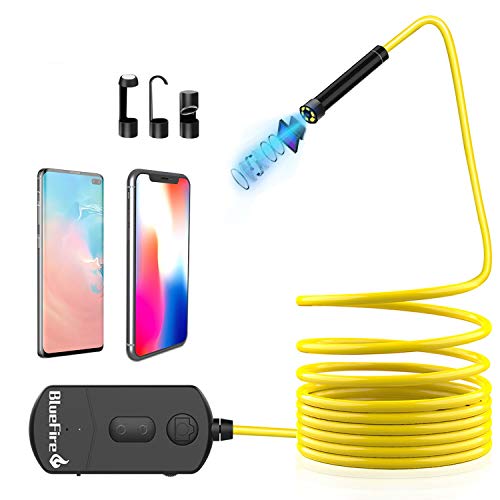
Specifications: Diameter: 8.5mm Charging Adapter: 5V/2A Working Time: 1-2 hours LED Light: 6 pcs Adjustable Pixel: 5.0 Megapixels CMOS Working voltage: DC 5V/2A Best Focal Distance: 5cm-15cm Horizontal View Angle: 60 degree Charging Time: 3-4 hours for fully charged Support System: Android / IOS (Above IOS6) Waterproof Grade: IP68 (lens and cable only) Power Capacity: 2200mAh built-in Li-Ion battery Camera Resolution: 2592x1944 1920x1080 1280x720 Transmission distance: 15 meters (without any obstacles)
Package: 1 x Endoscope 1 x USB to Micro USB Charging Cable 1 x Side Mirror 1 x Hook 1 x Magnet 1 x Manual
How to use? 1.Download the APP "Mo-View" from Google Play Store or App Store. (If the APP "Mo-View" doesn't work on your phone please download another app "HD WIFI" to try again the password is also 12345678) 2.Turn on the "ON/OFF" button the red power LED and the blue WiFi signal indicator will light up. 3.Connect WiFi in your Phone Setting Click on the "Wi-Fi" or "WLAN". Find the default WiFi name "Jetion_xxxxxxxx" and join in. The default password is 12345678. 4.After the WiFi "Jetion_xxxxxxxx" is connected successfully click the App icon you can operate the camera now.
Note: Don't connect your own home WiFi. Don't connect the WiFi in the APP.


