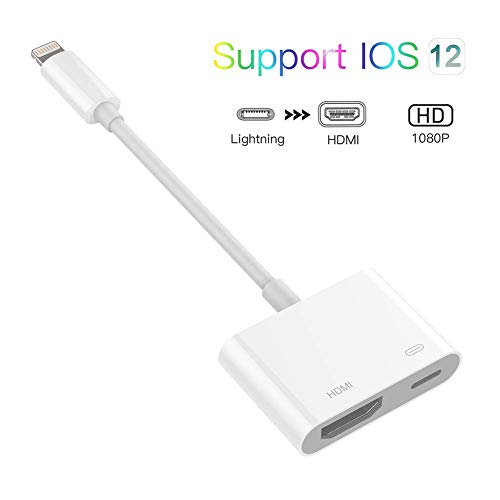

Product Review
The Lightning Digital AV Adapter supports mirroring of what is displayed on your device screen - including apps, presentations, websites, slideshows and more - to your HDMI-equipped TV, display, projector or other compatible display in up to 1080p HD.
Please Note:
5V 1A USB Charging cable MUST be plugged before use.
How to Use:
1.Insert the lightning cable into the 5V/2A USB AC Adapter.
2.HDMI Port: connect to your screen with an HDMI cable.
3.Lightning connection: connect into your iPhone, iPad, iPod.
Click the "Trust" button when connecting and then wait it to connect automatically.
Apps Supported:
YouTube, Hulu Plus, IDMB, Quickflix, Family On TV, ABC, NBC, FOX and local videos.
Compatible Devices:
iPhone X, iPhone XS, iPhone XS MAX, iPhone XR, iPhone 8, iPhone 8 Plus, iPhone 7, iPhone 7 Plus.
iPhone 6s, iPhone 6s Plus, iPhone 6, iPhone 6 Plus.
iPhone 5, 5c, 5s, SE.
iPad Air, iPad with retina display.
iPad mini, iPod Touch 5th gen, and iPod nano 7th gen.
Contact us at anytime If you have questions


![Tutetorna Screen Protector for Samsung Galaxy A71 [2Pack] [Case Friendly] [No Bubbles] [Easy Installation] [9H Hardness] [High Definition] Tempered Glass for Galaxy A71 Screen Protector](https://m.media-amazon.com/images/I/41QZeN9NwXL._SL75_.jpg)
![Tutetorna Screen Protector for Samsung Galaxy A51 [3Pack] [Case Friendly] [No Bubbles] [Easy Installation] [9H Hardness] [High Definition] Tempered Glass for Galaxy A51 Screen Protector](https://m.media-amazon.com/images/I/41YVbMl7-9L._SL75_.jpg)

