
Product Review
Greenlaw Keyboard Case for iPad Mini 5 iPad mini 4 - Not Fit Mini 1/2/3.
Features:
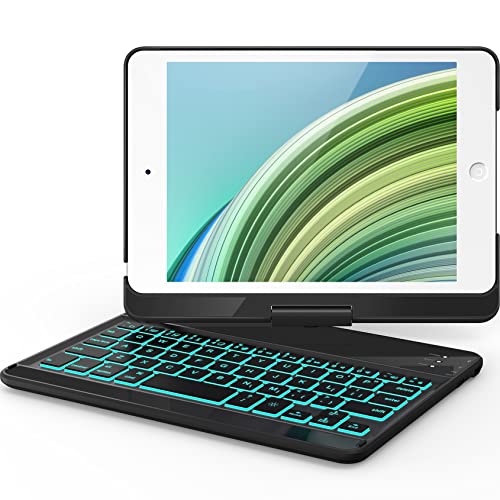
1.The backlight feature on the keyboard is easy to use and effective.
Great for work and entertainment while travel or carry around at home.
2. Wireless keyboard is responsive and can rotate 360 degree, you can adjust the viewing angle as you like.
3. Precise Cutout allows full access to all ports, user interface, sensors,
speakers, microphone and cameras without having to remove the cover, even when you are charging the tablet.
4. Special function keys: Sleep/Lock/Slideshow/Home/volume and more.
How to get the keyboard sync with iPad:
1. Full charge the keyboard about 2 hours.
2. After installing tablet into keyboard case, with the case open, slide the on/off switch
located on side of case along side the three led indicators (chrg batt pair) to ON position.
3. Press the square Bluetooth button located next to ON/OFF switch on side of case.
The blue "PAIR LED" light on keyboard will flash.
4. Go to iPad settings menu - Turn Bluetooth - ON
5. In MY DEVICES select "Bluetooth Keyboard"
6. Bluetooth Keyboard will connect.
Please note:
1. Tablet/ iPad isn't included for sell.
2. To connect the wireless, please Charge the keyboard first.
3. The Bluetooth function will turn to sleep if you don't use the keyboard beyond 10 minutes,
at this situation, you just need to press any key on the keyboard, wait few seconds to wake up the Bluetooth
to get it to work again. (Don't need to re-connect the Bluetooth)


