
Product Review
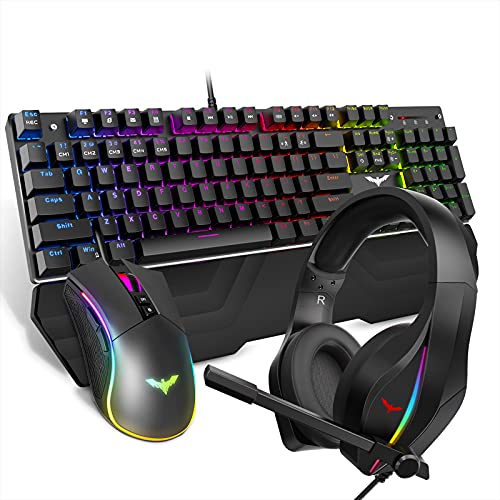
Mechanical Keyboard Backlight recording
FN+1/2/3/4/5: Five groups of custom backlights
A.Backlight recording method as below:
Press FN+1 to customize backlight for CM1, then press FN+ESC to enter into recording mode,2 LED will be flash for hint,now you can press the keys you want to light up,and each key press,the color changes in loop with 7 colors, then press FN+ESC to save the recording. Other 4 groups words in same way.
B. Any other functions of the keyboard will not be workable when you enter into recording mode.
C. Caps lockã€Num lockã€Scroll Lock and Windows key are not recordable.
Gaming mouse
Circular and colorful breathing light effect, and with DPI switch flashing indicator function: 800DPI(green),1600DPI(purple),2400DPI(blue),3200DPI(red),4000(cyan),4800(yellow)
7 kinds of light effect:Breathing mode;Colorful Streaming mode;Rainbow mode;Floe light mode;Waltz mode;4-Seasons mode;LED OFF
RGB gaming headset
The RGB light mode can be adjusted by "LED switch button"
Skin-friendly Artificial Leather Earpads with Memory Foam
Dual 50MM Large Drivers
Surround Sound Effect
Flexible Headband Length
Cool RGB Flowing Lights Gaming Headphones
> Adjustable Volume Control Under the Earmuff 360 Degree
Angel-Adjustable Microphone


![VicTsing [30% Larger] RGB Gaming Mouse Pad, 12 Lighting Modes, 31.5×15.75×0.2 In, Large Mouse Pad, Non-Slip Rubber Base, Waterproof Computer Keyboard Mouse Mat Foam Board For Gamer/Esports Pros/Office](https://m.media-amazon.com/images/I/31ThxBByNnL._SL75_.jpg)


