
Product Review
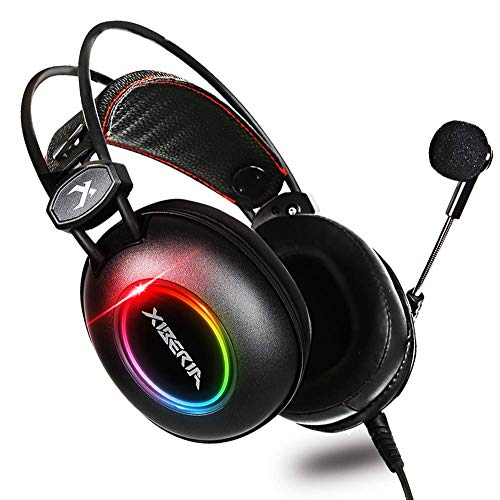
ã€WYTechnology】Seller Service Commitment makes our aim: 12-Month Hassle-Free Warranty and After-Sales Service is the Only Guarantee for Consumers. Benefits collection: 1. Ultra-light headphones 2. Double-headed beam without pressure. 3. Surround Stereo 4. Soft Memory Earmuffs 5. Adjustable LED light brightness (extra: USB plug is only for LED rainbow light) How to use XIBERIA gaming headphones with my consoles? [PC] Plug 1-to-2, 3.5mm splitter cable into audio input and microphone input separately of your desktop. [PS4] 1. Insert 3.5mm plug cable into the controller. 2. Long press ps4 button and go to system setting. 3. Go to 'PERIPHERAL MACHINE', 'ADJUST SOUND AND DEVICES, Change 'Output to the headphones' to 'All Audio'. [Xbox one] The gaming headset with microphone can be used directly if your xbox1 controller has 3.5mm audio interface. Otherwise, 'MICROSOFT ADAPTER' will be needed.(Not included) An extra Microsoft adapter (not included) is needed when working with old-version Xbox controller. [Nintendo Switch/Laptop/Mac/Smartphones] The gaming microphone can be used directly on the 3.5mm jack of Nintendon Switch. How to Use the Summary: PS4--( plug the 3.5mm line into the PS4 console) PC, Laptop & MAC--(need use PC extension cable) Older xbox one--(connect the 3.5mm port to the adapter) New version Xbox one--( connect the 3.5mm port to xbox one console) Nintendo Switch--(connect the 3.5mm line into the Nintendo Switch console.) 1. Please test it with your cell-phone before apply the headset, to make sure it works well. 2.Sound is too small or no sound:Ensure that your audio devices work properly and sound switch has been turned on.Turn up the sound volume level, Ensure connecting the plug of headset to audio source correctly. 3. If the microphone does not work, please check the controller and the microphone switch is turned on.