
Product Review
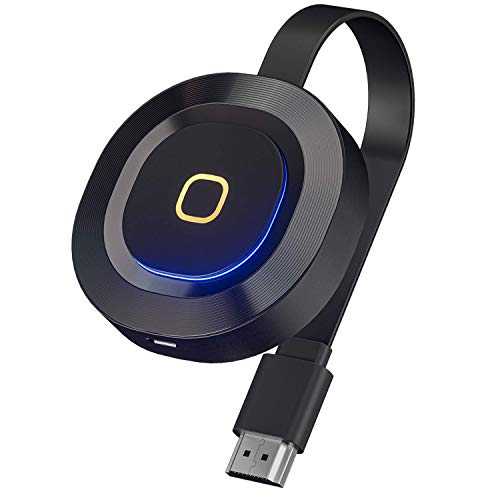
Are you still vexed for the screen is not big or transmission speed is slow? Then look at us.
1.Small size, easy to carry, save space.
2.Large screen: protects your eyes and prevents myopia.
3.Support 4K resolution image transmission,2.4G/5G dual WiFi connection.
4.Support Windows/Mac/Android/iOS devices screen mirroring,cast the screen to the meeting tablet and projector without wire.
📱How to operate?
📍Setup for iOS(iPhone/iPad)
Step 1.Connect your iPhone/iPad with MiraScreen XXXXXX on screen,then enter the password: 12345678;
Step 2.Open arbitrarily browser page on your iPhone/iPad then access the IP address: http://192.168.203.1;
Step 3. Find the WiFi belong to your home/company in the browser then set it up;
Step 4. Switch the original WiFi of the iPhone/iPad to the home/or company WiFi set by yourself and open the AirPlay Mirroring,then cast the screen successfully.
📍Setup for Android
Step 1. Wait for MiraScreen main screen after power on;
Step 2. Turn on your phone setting and find the Miracast function(such as Smart Multi-screen/Smart View/Miracast);
Step 3. Select MiraScreen as target and wait for connection;
Step 4. Your Android screen will be shown on your TV/Projector.
Mac's operation steps are basically the same as iOS. For the operation of Windows(8.1 & 10) and other devices, please refer to the instruction.
📢Note
1. Before buying, please confirm whether your electronic products have an HDMI port.
2. Please refer to the instruction when operation.
3.It is normal for the Wireless Display to be hot, which is the heat generated when the current passes through the resistor.


